5 Genius Examples of QR Codes in Marketing
QR codes are rapidly picking up steam amongst the ever-growing crowd of smartphone users out there, and marketers are increasingly using them to flesh out their creative promotions and ideas. However, nobody is keen to switch on their device to discover a host of alerts and messages from the various QR codes that they’ve scanned. This problem has meant that marketing companies have had to find unique and innovative ways not just to persuade you to scan the QR code, but also to boost awareness of their brand during the process. Some of the ways that they’ve come up with are pretty impressive. With that in mind, here are 5 genius examples of the use of QR codes for marketing purposes.
Who Uses QR Codes?

Around 50% of smartphone users admit to using their devices when shopping instore, most of them doing so to check competitors’ prices. Although evidence about who is scanning QR codes is quite mixed, the majority of current data shows that iPhone users are currently most likely to scan, especially those aged between 24 and 34. This means that most marketing campaigns involving QR codes are targeted at this demographic. That said, with smartphone use extended across all generations, the demographics are ever-changing, and some of the creative new uses for QR codes reflect this.
Creative Adverts for Apps
Two of the most eye-catching adverts involving QR codes are for big brands Angry Birds and Instagram, both having been created by a popular UK advertising agency by the name of “Made by Stupid”. The QR codes are designed to take scanners immediately to the page where they can download the app in question, and both are a well-designed showcase not just for advertising creativity but also for a self-explanatory way of promoting the app itself. While the Instagram app advert features lots of tiny photographic images which fit together into a QR code, the Angry Birds app advert shows colourful birds turned into a scannable code.
Mixtapes and Greetings Cards
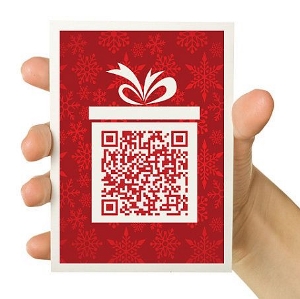
Another creative thought is the clever combination of playlists and greeting cards in something called a QR Image. This new incarnation of the mixtape was also developed by Made by Stupid and allows users to scan a barcode to begin the playlist on the premium Spotify application. Since the playlist options cater for virtually every occasion and interest, this cool idea is one of the most creative uses of QR codes out there today.
Bringing New Interest to Ordinary Locations
Museums aren’t always the most interesting places in the world, and this is a problem that Poland’s Sukiennice Museum has sought to solve by harnessing the power of the QR code. Each one of their paintings has been turned into a story exploring subjects such as war, insanity, deception and intrigue. When museum visitors scan each painting’s QR code, they’ll get a fun and engaging interactive experience right in the palm of their hand.
Personalized Wrapping Paper and Gift Messages
Holiday shoppers have been targeted very effectively by QR codes, and one way in which this has been especially successful has been in the form of JC Penney’s “Santa Tags”. These allowed gift fivers to record their own personal message which can then be accessed when the recipient scans the QR code.
Remembrance Codes
Although it may sound quite morbid, QR codes are now in use for checking in at funerals to notify the deceased’s family about who attended the occasion. Known as Remembrance codes, these useful barcodes help families to recognize just how much their loved one was appreciated and missed. Funerals are a strong market for QR codes, and there is even a cemetery in Japan which is using QR codes to direct family members to a virtual memorial for their loved one.
There seem to be no bounds to the creative uses for the QR code, and as technology continues to develop apace, it’s fascinating to wonder what the next step will be in this direction. While marketing is still the main drive for the QR code, the other exciting uses that you have seen here show that there is lots of potential when it comes to taking this advanced technology to new levels. We wait with bated breath to find out what those new levels will be!
Want to learn more about QR Codes? See how you can send money via QR Codes.
Use Now
2025 (c) QR Me, All Rights Reserved Terms and Conditions | Privacy